Pglive - Pglive package adds support for thread-safe live plotting to pyqtgraph

Overview

Live pyqtgraph plot

Pglive package adds support for thread-safe live plotting to pyqtgraph.
It supports PyQt5 and PyQt6.

Description

By default, pyqtgraph doesn't support live plotting. Aim of this package is to provide easy implementation of Line, Scatter and Bar Live plot. Every plot is connected with it's DataConnector, which sole purpose is to consume data points and manage data re-plotting. DataConnector interface provides Pause and Resume method, update rate and maximum number of plotted points. Each time data point is collected, call DataConnector.cb_set_data or DataConnector.cb_append_data_point callback. That's all You need to update plot with new data. Callbacks are Thread safe, so it works nicely in applications with multiple data collection Threads.

Focus on data collection and leave plotting to pglive.

To make firsts steps easy, package comes with many examples implemented in PyQt5 or PyQt6.

Code examples

import sys
from math import sin
from threading import Thread
from time import sleep

from PyQt6.QtWidgets import QApplication

from pglive.sources.data_connector import DataConnector
from pglive.sources.live_plot import LiveLinePlot
from pglive.sources.live_plot_widget import LivePlotWidget

"""
In this example Line plot is displayed.
"""
app = QApplication(sys.argv)
running = True

plot_widget = LivePlotWidget(title="Line Plot @ 100Hz")
plot_curve = LiveLinePlot()
plot_widget.addItem(plot_curve)
# DataConnector holding 600 points and plots @ 100Hz
data_connector = DataConnector(plot_curve, max_points=600, update_rate=100)


def sin_wave_generator(connector):
    """Sinus wave generator"""
    x = 0
    while running:
        x += 1
        data_point = sin(x * 0.01)
        # Callback to plot new data point
        connector.cb_append_data_point(data_point, x)

        sleep(0.01)


plot_widget.show()
Thread(target=sin_wave_generator, args=(data_connector,)).start()
app.exec()
running = False

Output:
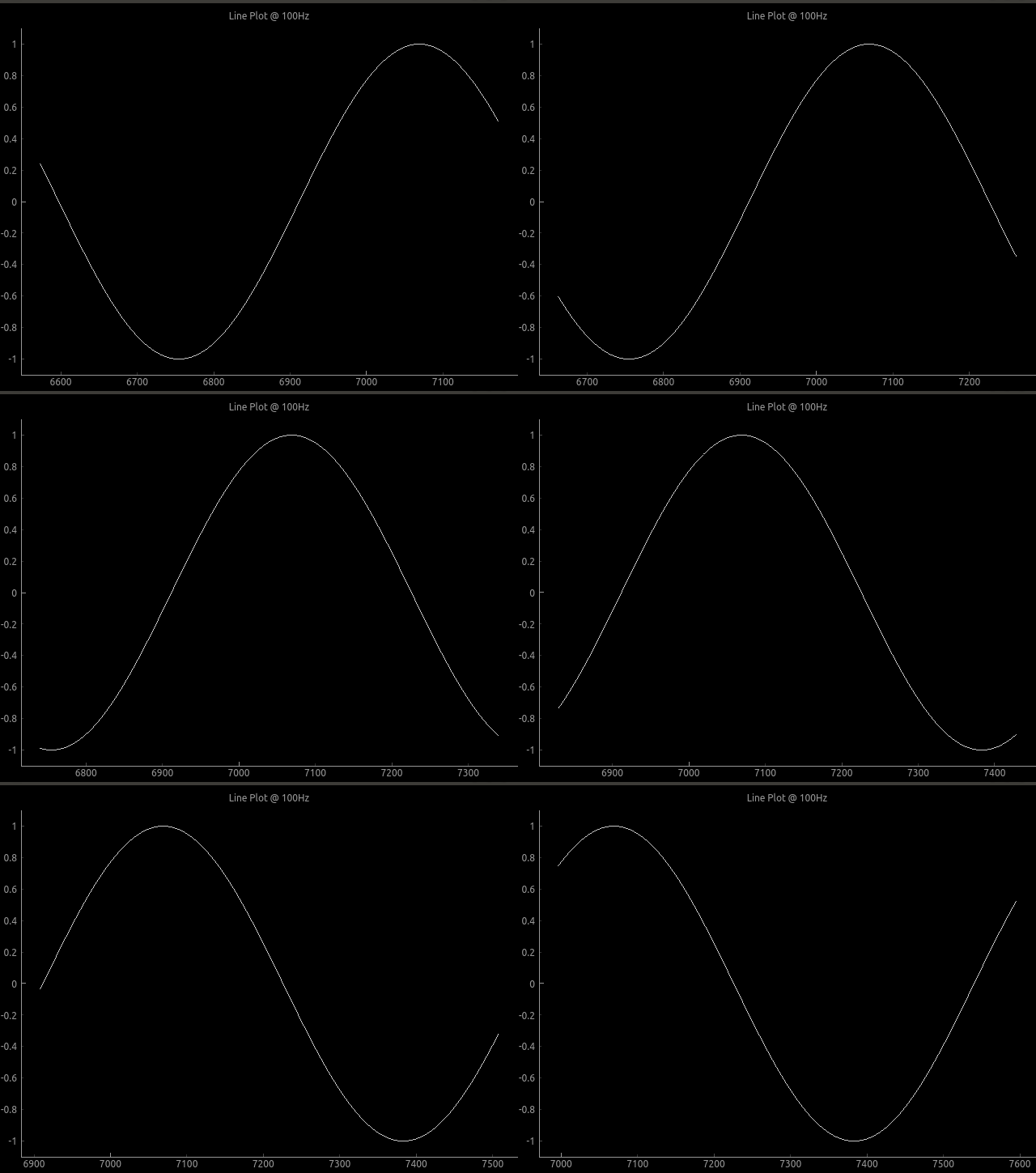
Plot example

To run built-in examples, use python3 -m parameter like:
python3 -m pglive.examples_pyqt6.all_plot_types
python3 -m pglive.examples_pyqt6.crosshair

Available plot types

Pglive supports four plot types: LiveLinePlot, LiveScatterPlot, LiveHBarPlot (horizontal bar plot) and LiveVBarPlot (vertical bar plot).
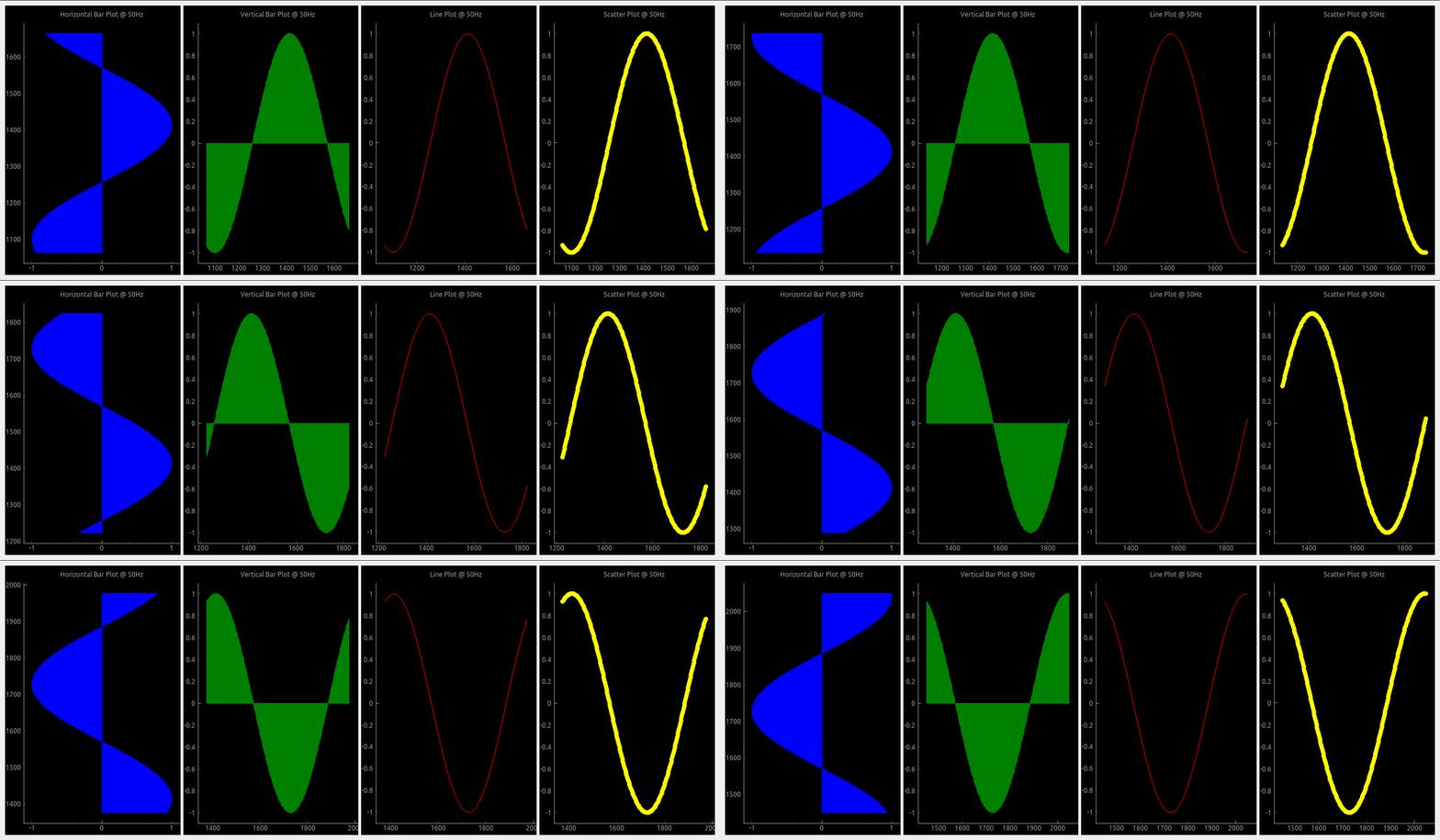
All plot types

Crosshair

Pglive comes with built-in Crosshair as well.
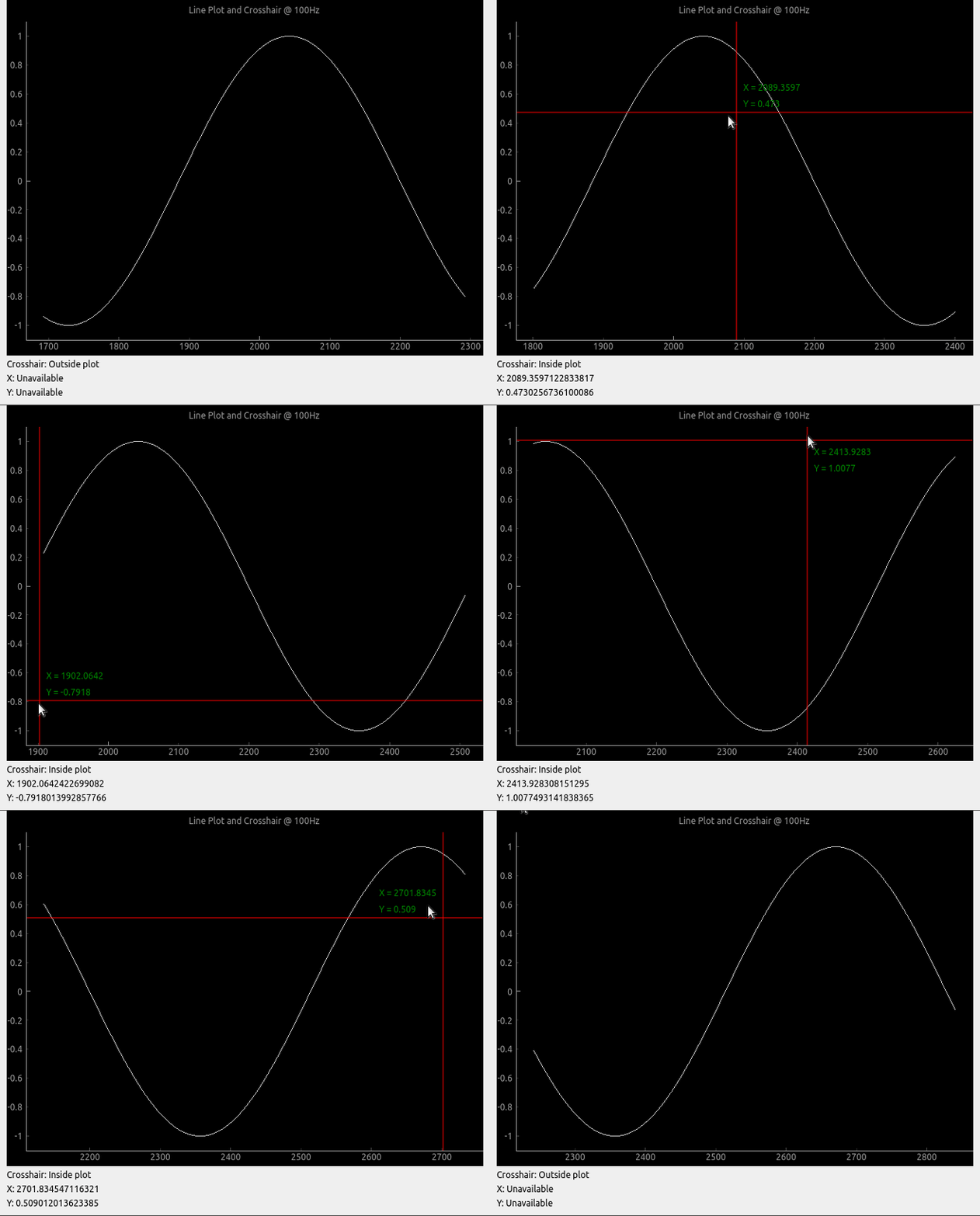
Crosshair

Axis

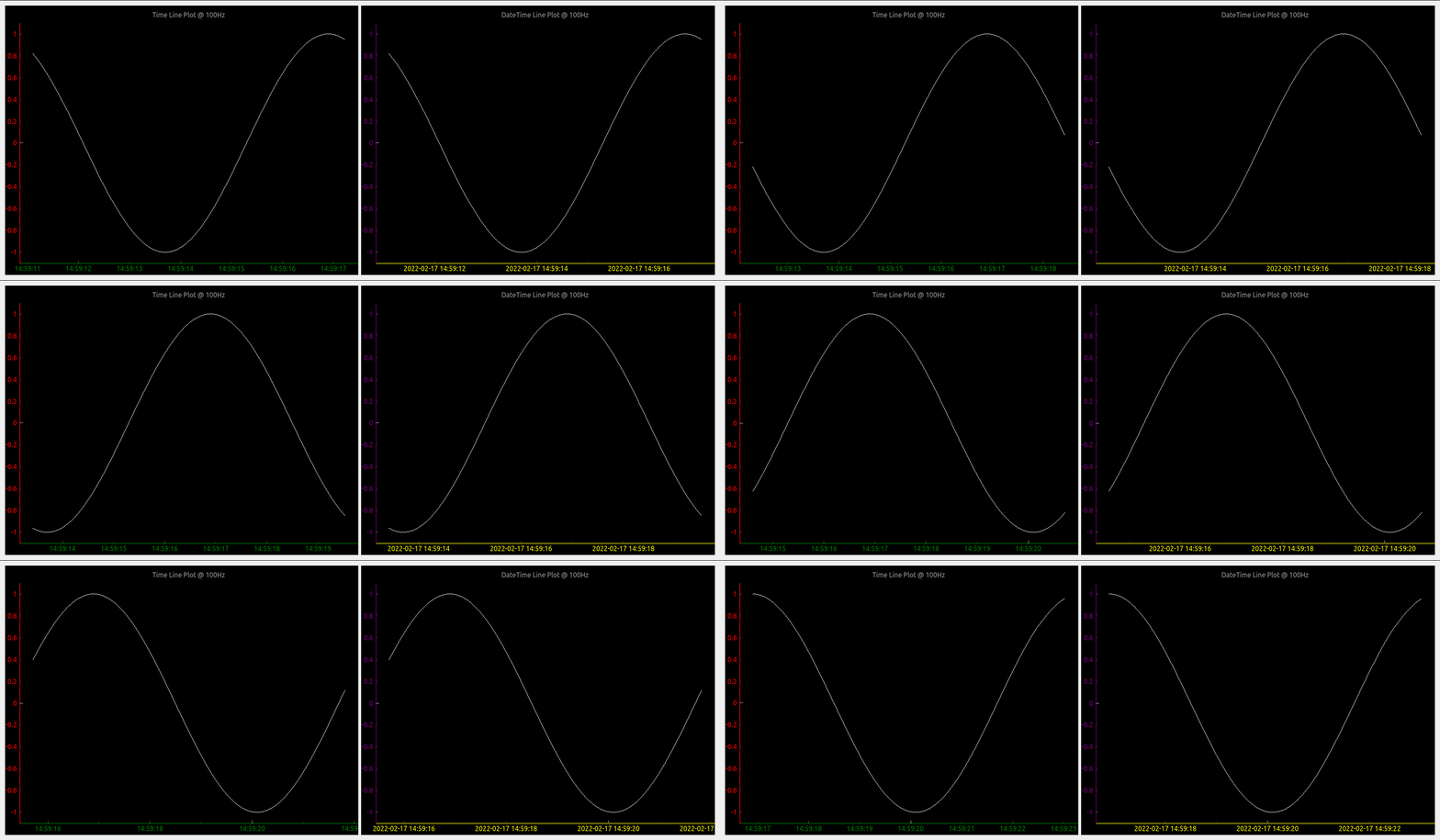
To make life easier, pglive includes few axis improvements:

  • Colored axis line using new axisPen attribute
  • Time and DateTime tick format, converting timestamp into human readable format
Crosshair

Summary

  • With Pglive You've got easy Thread-safe implementation of fast Live plots
  • You can use all kwargs specified in pyqtgraph
  • Focus on Data Handling, not Data Plotting
Comments
  • version 0.4.4 - after cb_set_data, x,y view range is not auto set. whereas it works perfectly in 0.3.3

    version 0.4.4 - after cb_set_data, x,y view range is not auto set. whereas it works perfectly in 0.3.3

    Dear Sir, I have been using pglive 0.3.3 and very much impressed with your work. Thank you very much for developing the module, it really simplifies the development effort to making pyqtgraph live. I use pglive for plotting live stock quote (just a live line plot, i have also tested candleplot too).

    problem : I have recently updated the version to 0.4.4 and my previously working code is not usable now. I use livelineplot, and cb_set_data and cb_append_data_point to load initial data and append live data respectively. In the ver0.3.3, when the initial set of historical data is loaded using cb_set_data, the x,y axis view is is properly set and can see the plot (even if live data is unavailable). Whereas in the ver0.4.4, possibly because of introducing the x and y live axis controller, once initial data is set using cb_set_data , the plot view is blank. Note,I use datetime axis on X. Once cb_set_data command is issued, the x axis defaults to epoch (1970) and y axis is 0 to1. I am unable to autorange even by clicking the 'A' button of pyqtgraph which is on the bottom left.

    However, once the live data arrives, the plot shows up in the view box. Please let me know the method to enable x,y auto range during normal conditions (i.e, prior to the arrival of live data). I need to view historical data sometimes, when the live tick is not available. Actually, I would like to know the autorange command just like we use for pg.PlotWidget so that i can enable it as and when the view changes. I do not want to use pg.PlotWidget commands like setXrange, setLimits etc beacuse it interferes with pglive auto range features during live tick plotting.

    opened by vvdigitaal 9
  • Horizontal Bar chart with categories

    Horizontal Bar chart with categories

    Hello,

    I have successfully been using PGlive for awhile now and love it.

    Can PGlive do Horizontal Bar chart with categories like below?

    Barchart

    If so can you add some details to accomplish this? Categories on the Y-axis and keep the time on the X-axis.

    Thanks for a great charting app!

    opened by optio50 9
  • Append data and set data difference

    Append data and set data difference

    Hi, I am a little confused with cb_set_data and cb_append_data_point. Source code says, it "replaces current data" for cb_set_data, and "appends new data point" for cb_append_data_point. My understanding is that, when using cb_append_data_point, we can retain old data. For instance, if the plot widget is set to max_points of 600, the plot will start scrolling when it reaches max_points, but we will be able to pan and look at the past data if cb_append_data_point is used. Whereas, if we use cb_set_data, points in the view box will be replaced by a new set of data points when max_point is reached. Please let me know if this is correct. Thanks.

    opened by sreekarreddy21 8
  • "cb_append_data_point" leads to runtime error if no existing points are present

    I initialize a LiveLinePlot, which is passed to a DataConnector for later updating. On the first iteration where I try to add a datapoint through the connecter via cb_append_data_point I receive the following error:

    /home/user/.local/lib/python3.10/site-packages/pyqtgraph/debug.py:128: RuntimeWarning: Ignored exception:
    Traceback (most recent call last):
      File "/home/user/path/pysideGUI.py", line 1101, in <module>
        app.exec()
      File "/home/user/.local/lib/python3.10/site-packages/pglive/sources/live_plot_widget.py", line 165, in paintEvent
        return super().paintEvent(ev)
      File "/home/user/.local/lib/python3.10/site-packages/pyqtgraph/widgets/GraphicsView.py", line 137, in paintEvent
        return super().paintEvent(ev)
      File "/home/user/.local/lib/python3.10/site-packages/pyqtgraph/debug.py", line 128, in w
        printExc('Ignored exception:')
      --- exception caught here ---
      File "/home/user/.local/lib/python3.10/site-packages/pyqtgraph/debug.py", line 126, in w
        func(*args, **kwds)
      File "/home/user/.local/lib/python3.10/site-packages/pyqtgraph/graphicsItems/PlotCurveItem.py", line 905, in paint
        p.drawLines(*self._getLineSegments())
    TypeError: QPainter.drawLines() takes exactly one argument (0 given)
      printExc('Ignored exception:')
    

    I've found that checking for the presence of data in the x or y variable in the DataConnector and adding the first datapoint twice if there is none prevents the error from appearing. E.g.:

    if len(connector.x) < 1:
      *add extra datapoint*
    *add datapoint like normal*
    

    It seems like there just needs to be an additional check somewhere(?)

    Using: Python 3.10 pglive 0.5.5

    opened by Obliman 7
  • Crosshair label not formatted

    Crosshair label not formatted

    Not sure if its a bug or simply requires proper formatting on my part. Using bottom_axis = LiveAxis("bottom", **{Axis.TICK_FORMAT: Axis.TIME}) the X crosshair is displayed in raw unformatted epoch time.

    Can you suggest a way to format the X crosshair label when using tick format Time?

    thank you

    opened by optio50 5
  • LiveAxisRange Multiple Plots Auto range if plot turned off.

    LiveAxisRange Multiple Plots Auto range if plot turned off.

    Is LiveAxisRange supposed to work with multiple plots? if you turn one of the plots off with the legend the "A" autorange breaks and plots disappear.

        PV1watts_plot = LiveLinePlot(pen='orange',name='PV-1',fillLevel=0, brush=(213,129,44,100))
        PV2watts_plot = LiveLinePlot(pen='cyan',name='PV-2', fillLevel=0, brush=(102,102,255,100))
    
        # Data connectors for each plot with dequeue of max_points
        self.PV1watts_connector = DataConnector(PV1watts_plot, max_points=48000) 
        self.PV2watts_connector = DataConnector(PV2watts_plot, max_points=48000) 
    
    
        # Setup bottom axis with TIME tick format
        # use Axis.DATETIME to show date
        pv1_watts_bottom_axis = LiveAxis("bottom", **{Axis.TICK_FORMAT: Axis.TIME})
    
        # Create plot
        self.PV1_graph_Widget = LivePlotWidget(title="Charger 1 & 2 Watts 1 Hour of 24",
        axisItems={'bottom': pv1_watts_bottom_axis},
        x_range_controller=LiveAxisRange(roll_on_tick=1800, offset_left=1), **kwargs)
    
        self.PV1_graph_Widget.x_range_controller.crop_left_offset_to_data = True
        
      
        # Show grid
        self.PV1_graph_Widget.showGrid(x=True, y=True, alpha=0.3)
    
        # Set labels
        self.PV1_graph_Widget.setLabel('bottom')
        self.PV1_graph_Widget.setLabel('left', 'Watts')
    
        self.PV1_graph_Widget.addLegend() # If plot is named, auto add name to legend
    
        # Add Line
        self.PV1_graph_Widget.addItem(PV1watts_plot)
        self.PV1_graph_Widget.addItem(PV2watts_plot)
    
        # Add chart to Layout in Qt Designer
        self.PV1_Watts_Layout.addWidget(self.PV1_graph_Widget)
    
    opened by optio50 4
  • Placing the widget into an existing window

    Placing the widget into an existing window

    Thanks for making this. Using your examples I can make a stand alone window with my live data and it looks and works great.

    I am having difficulty placing the widget into an existing window made with PYQT designer. I have promoted a Qwidget to a PlotWidget class but cannot figure out how to embed it into the promoted widget.

    Can you include an example how this might be achieved?

    Thank you.

    opened by optio50 4
  • Support for

    Support for "connect" attribute of pyqtgraph PlotDataItem/PlotCurveItem?

    Per the pyqtgraph documentation it's possible to specify the connectivity of data points on a line plot via the PlotDataItem:

    connect supports the following arguments:
    
    - ‘all’ connects all points.- 
    - ‘pairs’ generates lines between every other point.- 
    - ‘finite’ creates a break when a nonfinite points is encountered.- 
    - If an ndarray is passed, it should contain N int32 values of 0 or 1. Values of 1 indicate that the respective point will be connected to the next.- 
    - In the default ‘auto’ mode, PlotDataItem will normally use ‘all’, but if any nonfinite data points are detected, it will automatically switch to ‘finite’.
    

    The connect arg is also found in the PlotCurveItem.setData() function.

    Is this supported in pglive? I haven't found anything for it so far.

    opened by Obliman 2
  • Question: If using

    Question: If using "Promoted Widget", How to add LivePlotWidget(title=...., axisItems=......, **kwargs)

    I don't normally use a promoted widget but thought I would try it out in QT Designer. Normally I create the widget manually. If it's promoted and created in the QT Designer how do I add, LivePlotWidget(title="Chart Title", axisItems={'bottom': bottom_axis}, **kwargs)

    I can add title with .setLabels I can add axisItems with .setAxisItems

    Those are done with pyqtgraph options. How do I add ** kwargs that recognize the pglive crosshairs?

    Can it all be done with a one liner like I normally do with a widget created manually?

    I know you're busy. Thanks for looking.

    opened by optio50 2
  • Question: Autoscale plots when legend item is turned off

    Question: Autoscale plots when legend item is turned off

    I cant determine if this is a pyqtgraph function or PGlive.

    A graph with multiple plots and a legend. If you click an item in the legend box its plot is turned off in the graph. (its still collecting data)

    What I have is three plots with what can be large variations in Y axis values. I was hoping to autorange the remaining plots when a plot is turned off from the legend. For example below. Turn off Watts and have Volts and Amps auto scale for best viewable resolution. legend-plots

    opened by optio50 2
  • Question: Are Crosshairs expected to work with the Categorized Bar Chart?

    Question: Are Crosshairs expected to work with the Categorized Bar Chart?

    Are Crosshairs expected to work with the Categorized Bar Chart?

    I think I would only need it for the Date Time Axis to see preciously when the state changed happened.

    opened by optio50 2
Releases(v0.5.6)
Owner
Martin Domaracký
Martin Domaracký
Official Matplotlib cheat sheets

Official Matplotlib cheat sheets

Matplotlib Developers 6.7k Jan 09, 2023
web application for flight log analysis & review

Flight Review This is a web application for flight log analysis. It allows users to upload ULog flight logs, and analyze them through the browser. It

PX4 Drone Autopilot 145 Dec 20, 2022
AB-test-analyzer - Python class to perform AB test analysis

AB-test-analyzer Python class to perform AB test analysis Overview This repo con

13 Jul 16, 2022
A python script to visualise explain plans as a graph using graphviz

README Needs to be improved Prerequisites Need to have graphiz installed on the machine. Refer to https://graphviz.readthedocs.io/en/stable/manual.htm

Edward Mallia 1 Sep 28, 2021
Lightweight, extensible data validation library for Python

Cerberus Cerberus is a lightweight and extensible data validation library for Python. v = Validator({'name': {'type': 'string'}}) v.validate({

eve 2.9k Dec 27, 2022
Visualize the bitcoin blockchain from your local node

Project Overview A new feature in Bitcoin Core 0.20 allows users to dump the state of the blockchain (the UTXO set) using the command dumptxoutset. I'

18 Sep 11, 2022
Visualize and compare datasets, target values and associations, with one line of code.

In-depth EDA (target analysis, comparison, feature analysis, correlation) in two lines of code! Sweetviz is an open-source Python library that generat

Francois Bertrand 2.3k Jan 05, 2023
Generate visualizations of GitHub user and repository statistics using GitHub Actions.

GitHub Stats Visualization Generate visualizations of GitHub user and repository statistics using GitHub Actions. This project is currently a work-in-

Aditya Thakekar 1 Jan 11, 2022
Function Plotter: a simple application with GUI to plot mathematical functions

Function-Plotter Function Plotter is a simple application with GUI to plot mathe

Mohamed Nabawe 4 Jan 03, 2022
Show Data: Show your dataset in web browser!

Show Data is to generate html tables for large scale image dataset, especially for the dataset in remote server. It provides some useful commond line tools and fully customizeble API reference to gen

Dechao Meng 83 Nov 26, 2022
Data Visualizer for Super Mario Kart (SNES)

Data Visualizer for Super Mario Kart (SNES)

MrL314 21 Nov 20, 2022
Simple CLI python app to show a stocks graph performance. Made with Matplotlib and Tiingo.

stock-graph-python Simple CLI python app to show a stocks graph performance. Made with Matplotlib and Tiingo. Tiingo API Key You will need to add your

Toby 3 May 14, 2022
GD-UltraHack - A Mod Menu for Geometry Dash. Specifically a MegahackV5 clone in Python. Only for Windows

GD UltraHack: The Mod Menu that Nobody asked for. This is a mod menu for the gam

zeo 1 Jan 05, 2022
A little word cloud generator in Python

Linux macOS Windows PyPI word_cloud A little word cloud generator in Python. Read more about it on the blog post or the website. The code is tested ag

Andreas Mueller 9.2k Dec 30, 2022
Visualizations of some specific solutions of different differential equations.

Diff_sims Visualizations of some specific solutions of different differential equations. Heat Equation in 1 Dimension (A very beautiful and elegant ex

2 Jan 13, 2022
PyFlow is a general purpose visual scripting framework for python

PyFlow is a general purpose visual scripting framework for python. State Base structure of program implemented, such things as packages disco

1.8k Jan 07, 2023
view cool stats related to your discord account.

DiscoStats cool statistics generated using your discord data. How? DiscoStats is not a service that breaks the Discord Terms of Service or Community G

ibrahim hisham 5 Jun 02, 2022
An interactive GUI for WhiteboxTools in a Jupyter-based environment

whiteboxgui An interactive GUI for WhiteboxTools in a Jupyter-based environment GitHub repo: https://github.com/giswqs/whiteboxgui Documentation: http

Qiusheng Wu 105 Dec 15, 2022
Visualization Website by using Dash and Heroku

Visualization Website by using Dash and Heroku You can visit the website https://payroll-expense-analysis.herokuapp.com/ In this project, I am interes

YF Liu 1 Jan 14, 2022
3D rendered visualization of the austrian monuments registry

Visualization of the Austrian Monuments Visualization of the monument landscape of the austrian monuments registry (Bundesdenkmalamt Denkmalverzeichni

Nikolai Janakiev 3 Oct 24, 2019