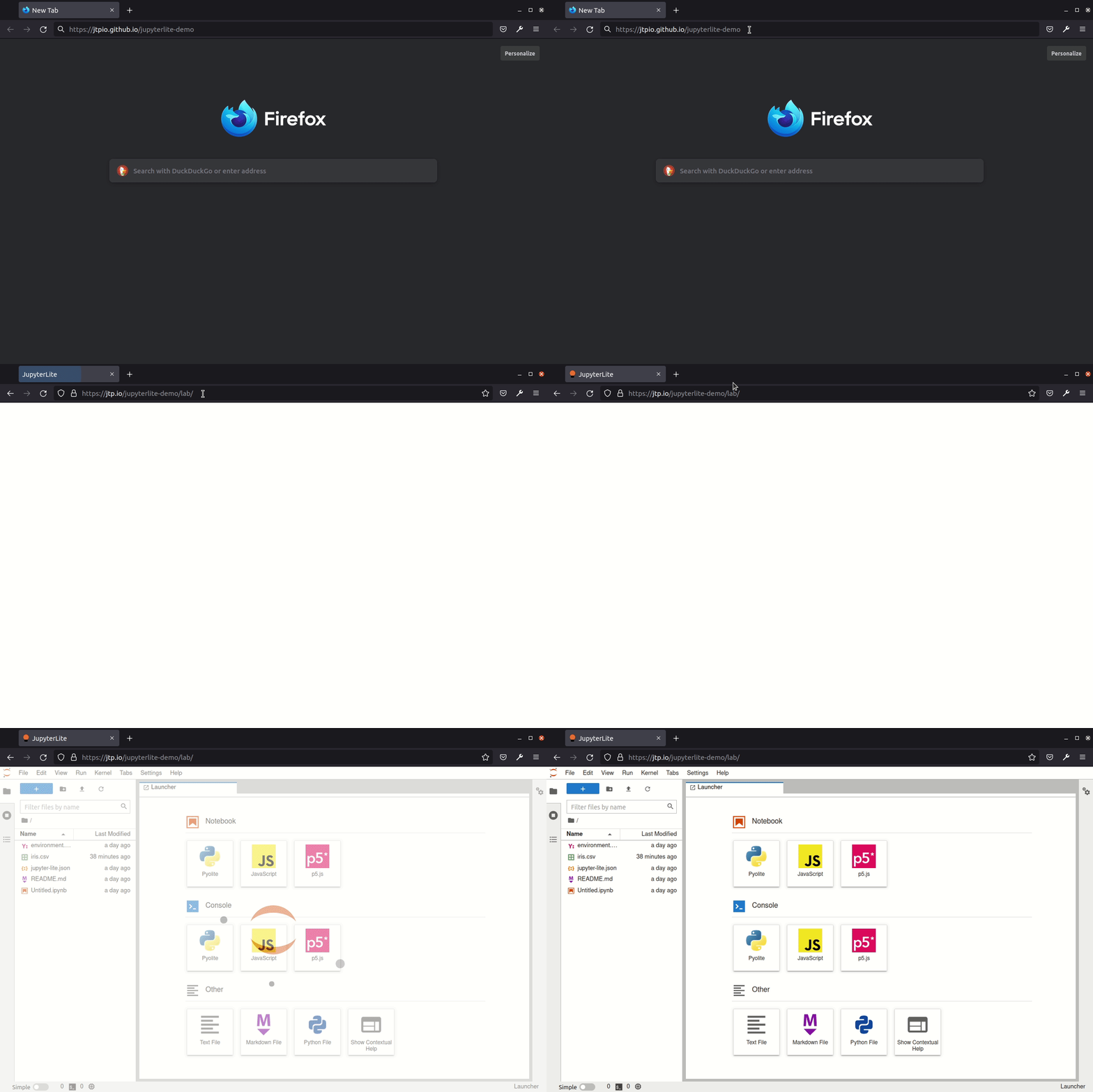
JupyterLite demo deployed to GitHub Pages 🚀

Related tags

Deep Learningdemo
Overview

JupyterLite Demo

lite-badge

JupyterLite deployed as a static site to GitHub Pages, for demo purposes.

Try it in your browser

➡️ https://jupyterlite.github.io/demo

github-pages

Requirements

JupyterLite is being tested against modern web browsers:

  • Firefox 90+
  • Chromium 89+

Usage

This repository provides a demonstration of how to:

  • build a JupyterLite release using prebuilt JupyterLite assets that bundles a collection of pre-existing Jupyter notebooks as part of the distribution;
  • deploy the release to GitHub Pages.

The process is automated using Github Actions.

You can use this repository in two main ways:

  • generate a new repository from this template repository and build and deploy your own site to the corresponding Github Pages site;
  • build a release from a PR made to this repository and download the release from the created GitHub Actions artifact.

Using Your Own Repository to Build a Release and Deploy it to Github Pages

Requires Github account.

Click on "Use this template" to generate a repository of your own from this template:

template

From the Actions tab on your repository, ensure that workflows are enabled. When you make a commit to the main branch, a Github Action will run to build your JupoyterLite release and deploy it to the repository's Github Pages site. By default, the Github Pages site will be found at YOUR_GITHUB_USERNAME.github.io/YOUR_REPOSITORY-NAME. You can also check the URL from the Repository Settings tab Pages menu item.

If the deployment failed, go to "Settings - Actions - General", in the "Workflow permissions" section, check "Read and write permissions". Update files such as readme, and commit so that GitHub rebuids and re-deploys the project. Go to "Settings - Pages", choose "gh-pages" as the source.

Add any additional requirements as required to the requirements.txt file.

You can do this via the Github website by selecting the requirements.txt file, clicking to edit it, making the required changes then saving ("committing") the result to the main branch of your repository.

Modify the contents of the contents folder to include the notebooks you want to distribute as part of your distribution.

You can do this by clicking on the contents directory and dragging notebooks from your desktop onto the contents listing. Wait for the files to be uploaded and then save them ("commit" them) to the main branch of the repository.

Check that you have Github Pages enabled for your repository: from your repository Settings tab, select the Pages menu item and ensure that the source is set to gh-pages.

When you commit a file, an updated release will be built and published on the Github Pages site. Note that it may take a few minutes for the Github Pages site to be updated. Do a hard refresh on your Github Pages site in your web browser to see the new release.

Further Information and Updates

For more info, keep an eye on the JupyterLite documentation:

Deploy a new version of JupyterLite

To change the version of the prebuilt JupyterLite assets, update the jupyterlite package version in the requirements.txt file.

The requirements.txt file can also be used to add extra prebuilt ("federated") JupyterLab extensions to the deployed JupyterLite website.

Commit and push any changes. The site will be deployed on the next push to the main branch.

Development

Create a new environment:

mamba create -n jupyterlite-demo
conda activate jupyterlite-demo
pip install -r requirements.txt

Then follow the steps documented in the Configuring section.

Owner
JupyterLite
Wasm powered Jupyter running in the browser 💡
JupyterLite
NeuroMorph: Unsupervised Shape Interpolation and Correspondence in One Go

NeuroMorph: Unsupervised Shape Interpolation and Correspondence in One Go This repository provides our implementation of the CVPR 2021 paper NeuroMorp

Meta Research 35 Dec 08, 2022
A lightweight library to compare different PyTorch implementations of the same network architecture.

TorchBug is a lightweight library designed to compare two PyTorch implementations of the same network architecture. It allows you to count, and compar

Arjun Krishnakumar 5 Jan 02, 2023
A simple and useful implementation of LPIPS.

lpips-pytorch Description Developing perceptual distance metrics is a major topic in recent image processing problems. LPIPS[1] is a state-of-the-art

So Uchida 121 Dec 24, 2022
The official implementation of ELSA: Enhanced Local Self-Attention for Vision Transformer

ELSA: Enhanced Local Self-Attention for Vision Transformer By Jingkai Zhou, Pich

DamoCV 87 Dec 19, 2022
UMich 500-Level Mobile Robotics Course

MOBILE ROBOTICS: METHODS & ALGORITHMS - WINTER 2022 University of Michigan - NA 568/EECS 568/ROB 530 For slides, lecture notes, and example codes, see

393 Dec 29, 2022
StyleGAN2-ADA - Official PyTorch implementation

Abstract: Training generative adversarial networks (GAN) using too little data typically leads to discriminator overfitting, causing training to diverge. We propose an adaptive discriminator augmenta

NVIDIA Research Projects 3.2k Dec 30, 2022
A model to classify a piece of news as REAL or FAKE

Fake_news_classification A model to classify a piece of news as REAL or FAKE. This python project of detecting fake news deals with fake and real news

Gokul Stark 1 Jan 29, 2022
HMLLDB is a collection of LLDB commands to assist in the debugging of iOS apps.

HMLLDB is a collection of LLDB commands to assist in the debugging of iOS apps. 中文介绍 Features Non-intrusive. Your iOS project does not need to be modi

mao2020 47 Oct 22, 2022
Neural-PIL: Neural Pre-Integrated Lighting for Reflectance Decomposition - NeurIPS2021

Neural-PIL: Neural Pre-Integrated Lighting for Reflectance Decomposition Project Page | Video | Paper Implementation for Neural-PIL. A novel method wh

Computergraphics (University of Tübingen) 64 Dec 29, 2022
This is a re-implementation of TransGAN: Two Pure Transformers Can Make One Strong GAN (CVPR 2021) in PyTorch.

TransGAN: Two Transformers Can Make One Strong GAN [YouTube Video] Paper Authors: Yifan Jiang, Shiyu Chang, Zhangyang Wang CVPR 2021 This is re-implem

Ahmet Sarigun 79 Jan 05, 2023
Global-Local Attention for Emotion Recognition

Global-Local Attention for Emotion Recognition Requirements Python 3 Install tensorflow (or tensorflow-gpu) = 2.0.0 Install some other packages pip i

Minh Nhat Le 15 Apr 21, 2022
A TensorFlow implementation of FCN-8s

FCN-8s implementation in TensorFlow Contents Overview Examples and demo video Dependencies How to use it Download pre-trained VGG-16 Overview This is

Pierluigi Ferrari 50 Aug 08, 2022
AugLiChem - The augmentation library for chemical systems.

AugLiChem Welcome to AugLiChem! The augmentation library for chemical systems. This package supports augmentation for both crystaline and molecular sy

BaratiLab 17 Jan 08, 2023
SOLO and SOLOv2 for instance segmentation, ECCV 2020 & NeurIPS 2020.

SOLO: Segmenting Objects by Locations This project hosts the code for implementing the SOLO algorithms for instance segmentation. SOLO: Segmenting Obj

Xinlong Wang 1.5k Dec 31, 2022
Convenient tool for speeding up the intern/officer review process.

icpc-app-screen Convenient tool for speeding up the intern/officer applicant review process. Eliminates the pain from reading application responses of

1 Oct 30, 2021
Codebase for ECCV18 "The Sound of Pixels"

Sound-of-Pixels Codebase for ECCV18 "The Sound of Pixels". *This repository is under construction, but the core parts are already there. Environment T

Hang Zhao 318 Dec 20, 2022
Google-drive-to-sqlite - Create a SQLite database containing metadata from Google Drive

google-drive-to-sqlite Create a SQLite database containing metadata from Google

Simon Willison 140 Dec 04, 2022
Fast and robust certifiable relative pose estimation

Fast and Robust Relative Pose Estimation for Calibrated Cameras This repository contains the code for the relative pose estimation between two central

42 Dec 06, 2022
Diverse Object-Scene Compositions For Zero-Shot Action Recognition

Diverse Object-Scene Compositions For Zero-Shot Action Recognition This repository contains the source code for the use of object-scene compositions f

7 Sep 21, 2022
PyTorch code to run synthetic experiments.

Code repository for Invariant Risk Minimization Source code for the paper: @article{InvariantRiskMinimization, title={Invariant Risk Minimization}

Facebook Research 345 Dec 12, 2022