neural-hash-collider
Find target hash collisions for Apple's NeuralHash perceptual hash function.
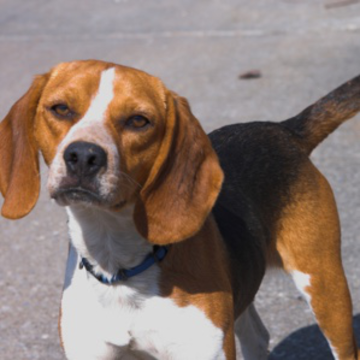
For example, starting from a picture of this cat, we can find an adversarial image that has the same hash as the picture of the dog in this post:
python collide.py --image cat.jpg --target 59a34eabe31910abfb06f308


We can confirm the hash collision using nnhash.py from AsuharietYgvar/AppleNeuralHash2ONNX:
$ python nnhash.py dog.png
59a34eabe31910abfb06f308
$ python nnhash.py adv.png
59a34eabe31910abfb06f308
How it works
NeuralHash is a perceptual hash function that uses a neural network. Images are resized to 360x360 and passed through a neural network to produce a 128-dimensional feature vector. Then, the vector is projected onto R^96 using a 128x96 "seed" matrix. Finally, to produce a 96-bit hash, the 96-dimensional vector is thresholded: negative entries turn into a 0 bit, and non-negative entries turn into a 1 bit.
This entire process, except for the thresholding, is differentiable, so we can use gradient descent to find hash collisions. This is a well-known property of neural networks, that they are vulnerable to adversarial examples.
We can define a loss that captures how close an image is to a given target hash: this loss is basically just the NeuralHash algorithm as described above, but with the final "hard" thresholding step tweaked so that it is "soft" (in particular, differentiable). Exactly how this is done (choices of activation functions, parameters, etc.) can affect convergence, so it can require some experimentation. After choosing the loss function, we can follow the standard method to find adversarial examples for neural networks: gradient descent.
Details
The implementation currently does an alternating projections style attack to find an adversarial example that has the intended hash and also looks similar to the original. See collide.py for the full details. The implementation uses two different loss functions: one measures the distance to the target hash, and the other measures the quality of the perturbation (l2 norm + total variation). We first optimize for a collision, focusing only on matching the target hash. Once we find a projection, we alternate between minimizing the perturbation and ensuring that the hash value does not change. The attack has a number of parameters; run python collide.py --help or refer to the code for a full list. Tweaking these parameters can make a big difference in convergence time and the quality of the output.
The implementation also supports a flag --blur [sigma] that blurs the perturbation on every step of the search. This can slow down or break convergence, but on some examples, it can be helpful for getting results that look more natural and less like glitch art.
Examples
Reproducing the Lena/Barbara result from this post:


The first image above is the original Lena image. The second was produced with --target a426dae78cc63799d01adc32 to collide with Barbara. The third was produced with the additional argument --blur 1.0. The fourth is the original Barbara image. Checking their hashes:
$ python nnhash.py lena.png
32dac883f7b91bbf45a48296
$ python nnhash.py lena-adv.png
a426dae78cc63799d01adc32
$ python nnhash.py lena-adv-blur-1.0.png
a426dae78cc63799d01adc32
$ python nnhash.py barbara.png
a426dae78cc63799d01adc32
Reproducing the Picard/Sidious result from this post:


The first image above is the original Picard image. The second was produced with --target e34b3da852103c3c0828fbd1 --tv-weight 3e-4 to collide with Sidious. The third was produced with the additional argument --blur 0.5. The fourth is the original Sidious image. Checking their hashes:
$ python nnhash.py picard.png
73fae120ad3191075efd5580
$ python nnhash.py picard-adv.png
e34b2da852103c3c0828fbd1
$ python nnhash.py picard-adv-blur-0.5.png
e34b2da852103c3c0828fbd1
$ python nnhash.py sidious.png
e34b2da852103c3c0828fbd1
Prerequisites
- Get Apple's NeuralHash model following the instructions in AsuharietYgvar/AppleNeuralHash2ONNX and either put all the files in this directory or supply the
--model/--seedarguments - Install Python dependencies:
pip install -r requirements.txt
Usage
Run python collide.py --image [path to image] --target [target hash] to generate a hash collision. Run python collide.py --help to see all the options, including some knobs you can tweak, like the learning rate and some other parameters.
Limitations
The code in this repository is intended to be a demonstration, and perhaps a starting point for other exploration. Tweaking the implementation (choice of loss function, choice of parameters, etc.) might produce much better results than this code currently achieves.

 3 Sep 01, 2022
 12 Dec 15, 2021
 419 Dec 26, 2022
 1 Jan 28, 2022
 6 Dec 14, 2022
 108 Dec 19, 2022
 4.3k Jan 01, 2023
 238 Dec 04, 2022
 4 Jan 11, 2022
 2 Jun 20, 2022
 1 Dec 29, 2021
 13 Mar 07, 2022
 23 Jan 04, 2022
 33 Jul 06, 2022
 1 Oct 31, 2021
 14 Jan 04, 2023
 2 Oct 25, 2021
 66 Dec 14, 2022
 1 Jan 31, 2022
 47 Dec 25, 2022