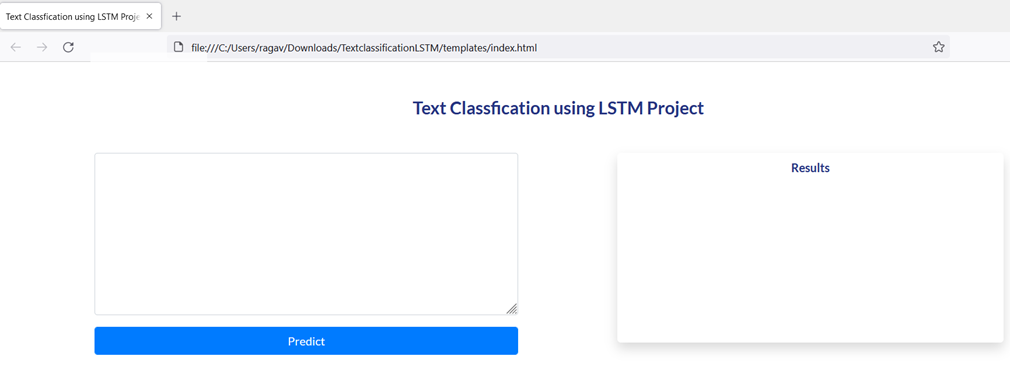
Text Classification Using LSTM

Overview

Text-Classification-Using-LSTM

Ontology Classification-Using-LSTM

Introduction

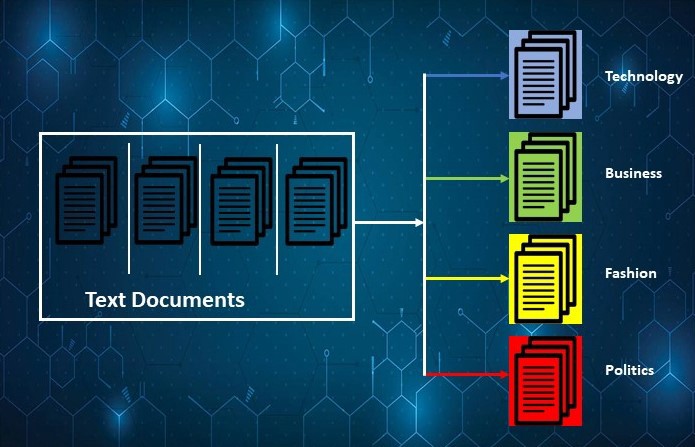
Text classification is the task of assigning a set of predefined categories to free text. Text classifiers can be used to organize, structure, and categorize pretty much anything. For example, new articles can be organized by topics, support tickets can be organized by urgency, chat conversations can be organized by language, brand mentions can be organized by sentiment, and so on.
Technologies Used

1. IDE - Pycharm
2. LSTM - As a classification Deep learning Model
3. GPU - P-4000
4. Google Colab - Text Analysis
5. Flas- Fast API
6. Postman - API Tester
7. Gensim - Word2Vec embeddings

🔑 Prerequisites All the dependencies and required libraries are included in the file requirements.txt

  Python 3.6

Dataset

The DBpedia ontology classification dataset is constructed by picking 14 non-overlapping classes from DBpedia 2014. They are listed in classes.txt. From each of thse 14 ontology classes, we randomly choose 40,000 training samples and 5,000 testing samples. Therefore, the total size of the training dataset is 560,000 and testing dataset 70,000. The files train.csv and test.csv contain all the training samples as comma-sparated values. There are 3 columns in them, corresponding to class index (1 to 14), title and content. The title and content are escaped using double quotes ("), and any internal double quote is escaped by 2 double quotes (""). There are no new lines in title or content.

For Dataset Please click here

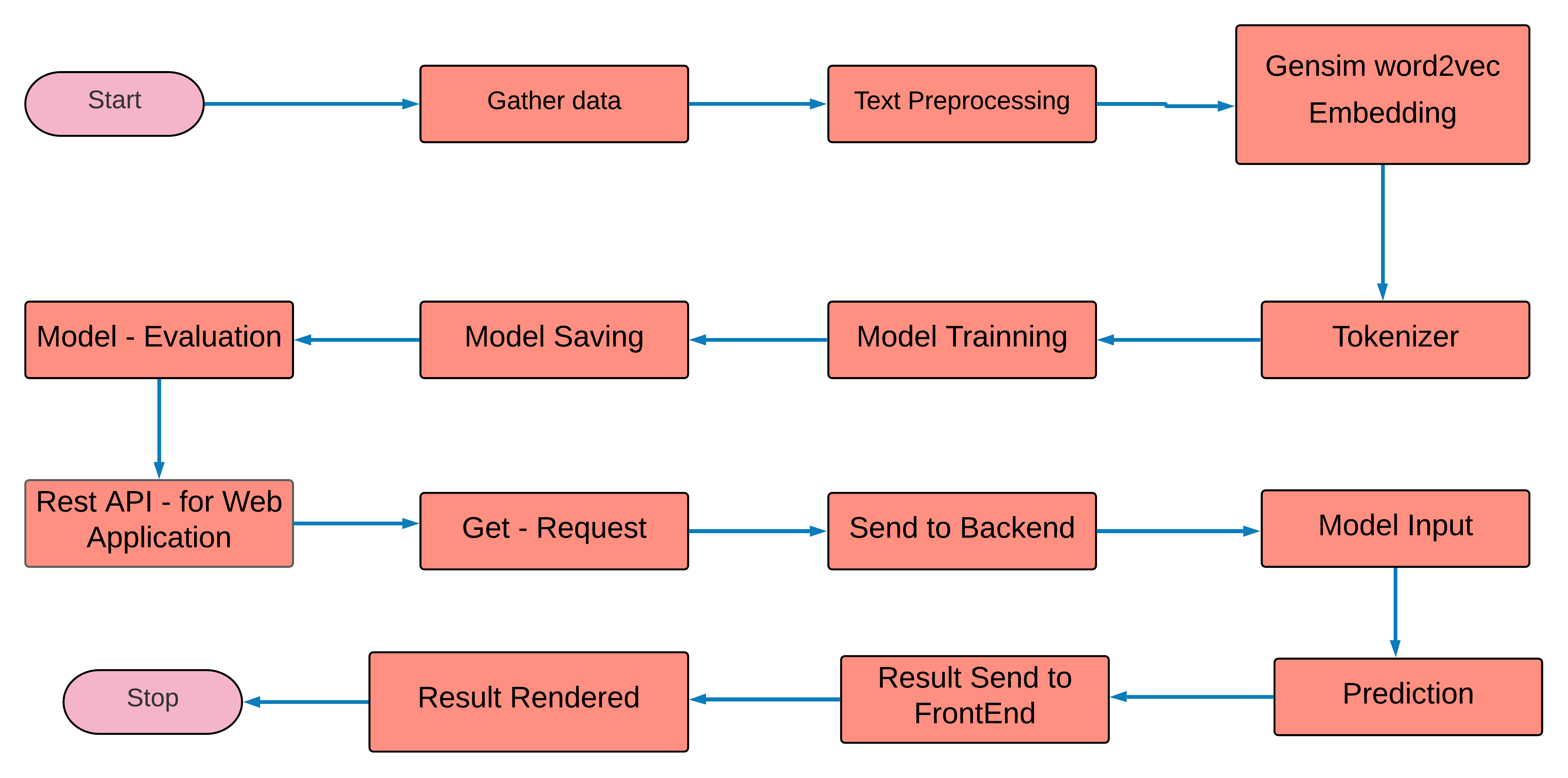
Process - Flow of This project
🚀 Installation of Text-Classification-Using-LSTM

  1. Clone the repo
git clone https://github.com/KrishArul26/Text-Classification-DBpedia-ontology-classes-Using-LSTM.git
  1. Change your directory to the cloned repo
cd Text-Classification-DBpedia-ontology-classes-Using-LSTM

  1. Create a Python 3.6 version of virtual environment name 'lstm' and activate it
pip install virtualenv

virtualenv bert

lstm\Scripts\activate

  1. Now, run the following command in your Terminal/Command Prompt to install the libraries required!!!
pip install -r requirements.txt

💡 Working

Type the following command:

python app.py

After that You will see the running IP adress just copy and paste into you browser and import or upload your speech then closk the predict button.

Implementations

In this section, contains the project directory, explanation of each python file presents in the directory.

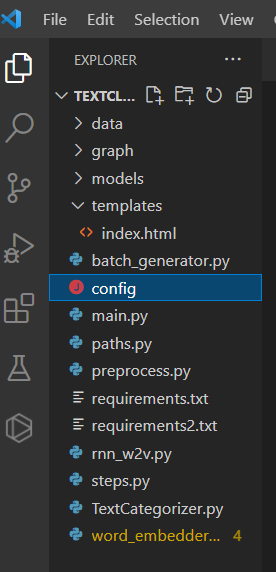
1. Project Directory

Below picture illustrate the complete folder structure of this project.
2. preprocess.py

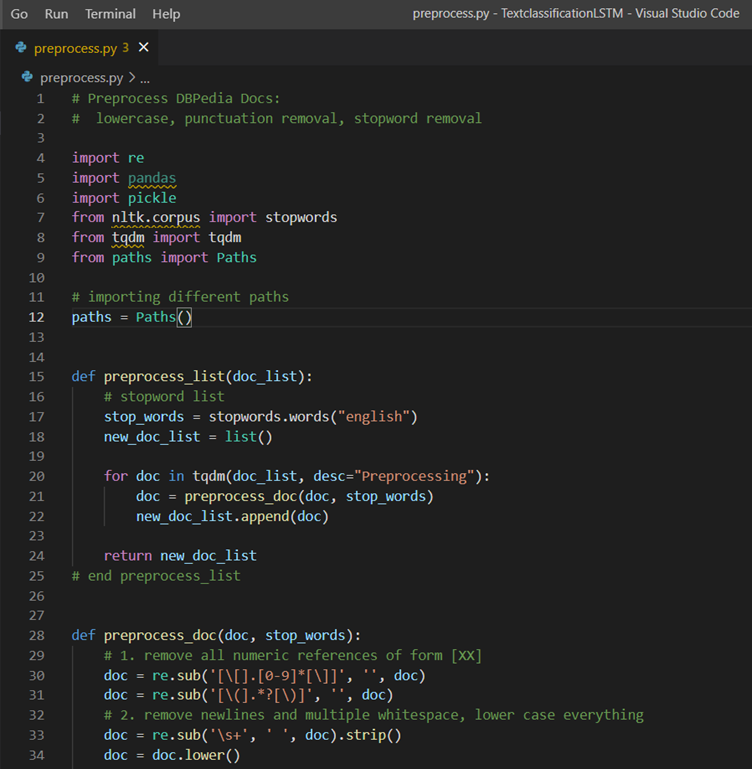
Below picture illustrate the preprocess.py file, It does the necessary text cleaning process such as removing punctuation, numbers, lemmatization. And it will create train_preprocessed, validation_preprocessed and test_preprocessed pickle files for the further analysis.
3. word_embedder_gensim.py

Below picture illustrate the word_embedder_gensim.py, After done with text pre-processing, this file will take those cleaned text as input and will be creating the Word2vec embedding for each word.

4. rnn_w2v.py

Below picture illustrate the rnn_w2v.py, After done with creating Word2vec for each word then those vectors will use as input for creating the LSTM model and Train the LSTM (RNN) model with body and Classes.

5. index.htmml

Below picture illustrate the index.html file, these files use to create the web frame for us.

6. main.py

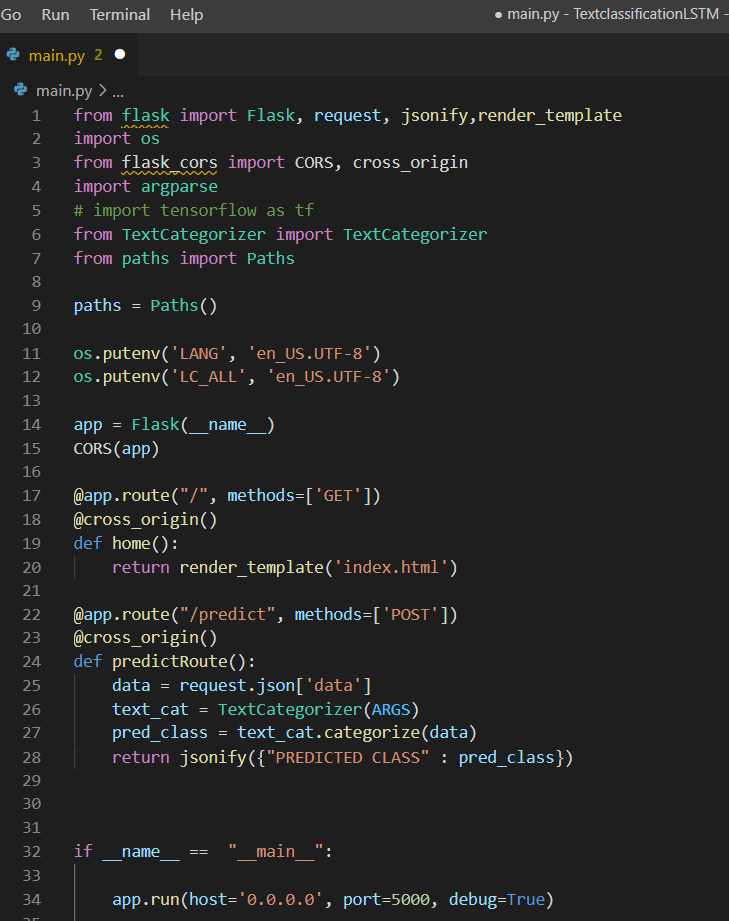
Below picture illustrate the main.py, After evaluating the LSTM model, This files will create the Rest -API, To that It will use FLASK frameworks and get the request from the customer or client then It will Post into the prediction files and Answer will be deliver over the web browser.
7. Testing Rest-API
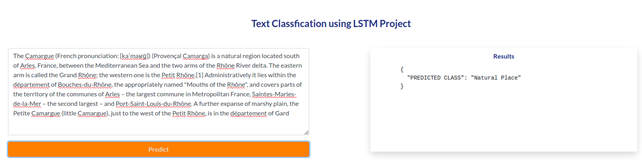
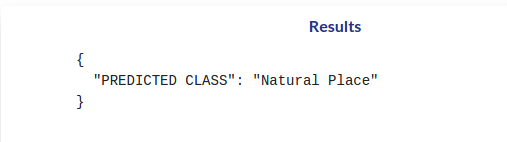
Owner
KrishArul26
Google Certified - TensorFlow Developer | Google Cloud Associated Engineer | Enthusiastic in Machine Learning | Deep Learning | Object Detection | AI
KrishArul26
Text classification on IMDB dataset using Keras and Bi-LSTM network

Text classification on IMDB dataset using Keras and Bi-LSTM Text classification on IMDB dataset using Keras and Bi-LSTM network. Usage python3 main.py

Hamza Rashid 2 Sep 27, 2022
Ptorch NLU, a Chinese text classification and sequence annotation toolkit, supports multi class and multi label classification tasks of Chinese long text and short text, and supports sequence annotation tasks such as Chinese named entity recognition, part of speech tagging and word segmentation.

Pytorch-NLU,一个中文文本分类、序列标注工具包,支持中文长文本、短文本的多类、多标签分类任务,支持中文命名实体识别、词性标注、分词等序列标注任务。 Ptorch NLU, a Chinese text classification and sequence annotation toolkit, supports multi class and multi label classifi

186 Dec 24, 2022
Large-scale open domain KNOwledge grounded conVERsation system based on PaddlePaddle

Knover Knover is a toolkit for knowledge grounded dialogue generation based on PaddlePaddle. Knover allows researchers and developers to carry out eff

606 Dec 28, 2022
A Fast Command Analyser based on Dict and Pydantic

Alconna Alconna 隶属于ArcletProject, 在Cesloi内有内置 Alconna 是 Cesloi-CommandAnalysis 的高级版,支持解析消息链 一般情况下请当作简易的消息链解析器/命令解析器 文档 暂时的文档 Example from arclet.alcon

19 Jan 03, 2023
Build Text Rerankers with Deep Language Models

Reranker is a lightweight, effective and efficient package for training and deploying deep languge model reranker in information retrieval (IR), question answering (QA) and many other natural languag

Luyu Gao 140 Dec 06, 2022
Simple Speech to Text, Text to Speech

Simple Speech to Text, Text to Speech 1. Download Repository Opsi 1 Download repository ini, extract di lokasi yang diinginkan Opsi 2 Jika sudah famil

Habib Abdurrasyid 5 Dec 28, 2021
A large-scale (194k), Multiple-Choice Question Answering (MCQA) dataset designed to address realworld medical entrance exam questions.

MedMCQA MedMCQA : A Large-scale Multi-Subject Multi-Choice Dataset for Medical domain Question Answering A large-scale, Multiple-Choice Question Answe

MedMCQA 24 Nov 30, 2022
Conversational-AI-ChatBot - Intelligent ChatBot built with Microsoft's DialoGPT transformer to make conversations with human users!

Conversational AI ChatBot Intelligent ChatBot built with Microsoft's DialoGPT transformer to make conversations with human users! In this project? Thi

Rajkumar Lakshmanamoorthy 6 Nov 30, 2022
Open Source Neural Machine Translation in PyTorch

OpenNMT-py: Open-Source Neural Machine Translation OpenNMT-py is the PyTorch version of the OpenNMT project, an open-source (MIT) neural machine trans

OpenNMT 5.8k Jan 04, 2023
Bot to connect a real Telegram user, simulating responses with OpenAI's davinci GPT-3 model.

AI-BOT Bot to connect a real Telegram user, simulating responses with OpenAI's davinci GPT-3 model.

Thempra 2 Dec 21, 2022
A Multi-modal Model Chinese Spell Checker Released on ACL2021.

ReaLiSe ReaLiSe is a multi-modal Chinese spell checking model. This the office code for the paper Read, Listen, and See: Leveraging Multimodal Informa

DaDa 106 Dec 29, 2022
Grading tools for Advanced NLP (11-711)Grading tools for Advanced NLP (11-711)

Grading tools for Advanced NLP (11-711) Installation You'll need docker and unzip to use this repo. For docker, visit the official guide to get starte

Hao Zhu 2 Sep 27, 2022
LightSeq: A High-Performance Inference Library for Sequence Processing and Generation

LightSeq is a high performance inference library for sequence processing and generation implemented in CUDA. It enables highly efficient computation of modern NLP models such as BERT, GPT2, Transform

Bytedance Inc. 2.5k Jan 03, 2023
An End-to-End Trainable Neural Network for Image-based Sequence Recognition and Its Application to Scene Text Recognition

CRNN paper:An End-to-End Trainable Neural Network for Image-based Sequence Recognition and Its Application to Scene Text Recognition 1. create your ow

Tsukinousag1 3 Apr 02, 2022
A simple visual front end to the Maya UE4 RBF plugin delivered with MetaHumans

poseWrangler Overview PoseWrangler is a simple UI to create and edit pose-driven relationships in Maya using the MayaUE4RBF plugin. This plugin is dis

Christopher Evans 105 Dec 18, 2022
HuggingTweets - Train a model to generate tweets

HuggingTweets - Train a model to generate tweets Create in 5 minutes a tweet generator based on your favorite Tweeter Make my own model with the demo

Boris Dayma 318 Jan 04, 2023
Using context-free grammar formalism to parse English sentences to determine their structure to help computer to better understand the meaning of the sentence.

Sentance Parser Executing the Program Make sure Python 3.6+ is installed. Install requirements $ pip install requirements.txt Run the program:

Vaibhaw 12 Sep 28, 2022
中文空间语义理解评测

中文空间语义理解评测 最新消息 2021-04-10 🚩 排行榜发布: Leaderboard 2021-04-05 基线系统发布: SpaCE2021-Baseline 2021-04-05 开放数据提交: 提交结果 2021-04-01 开放报名: 我要报名 2021-04-01 数据集 pa

40 Jan 04, 2023
KoBERT - Korean BERT pre-trained cased (KoBERT)

KoBERT KoBERT Korean BERT pre-trained cased (KoBERT) Why'?' Training Environment Requirements How to install How to use Using with PyTorch Using with

SK T-Brain 1k Jan 02, 2023
超轻量级bert的pytorch版本,大量中文注释,容易修改结构,持续更新

bert4pytorch 2021年8月27更新: 感谢大家的star,最近有小伙伴反映了一些小的bug,我也注意到了,奈何这个月工作上实在太忙,更新不及时,大约会在9月中旬集中更新一个只需要pip一下就完全可用的版本,然后会新添加一些关键注释。 再增加对抗训练的内容,更新一个完整的finetune

muqiu 317 Dec 18, 2022